7. Example: Python Debugger with Pytest
-
In PyCharm, Project Menu: Right-Click in the project you wish and Left-Click the option Open in Terminal. This will open the terminal of PyCharm in the directory of your project.
-
Create the python files (e.g test_*.py files for Pytest) with calls to the modules (object methods or functions) that you want to test.
-
Add the breakpoint in the location of the code where you want to test program execution:
import pdb
pdb.set_trace()
or simply breakpoint() (only for python version >= 3.7)
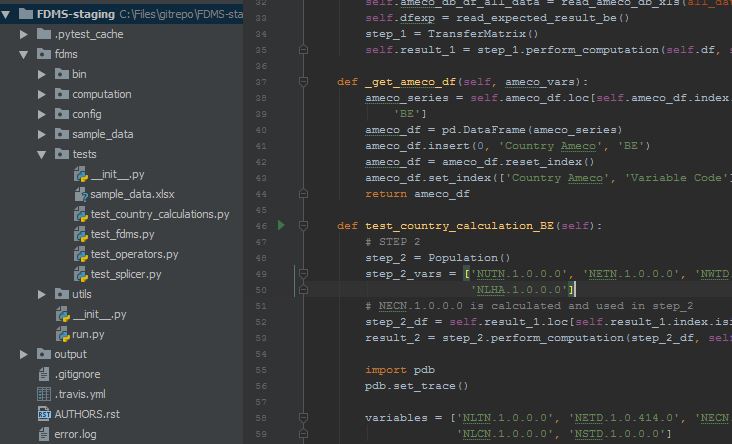
- Write and Enter:
pytestin the PyCharm terminal (in the directory of your project, as in step 1).
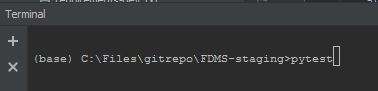
The pytest will start running sequentially for each python file with the format test_*.py in alphabetical order, within the folder where it was initiated and its sub-folders.
But, the program execution will be stopped exactly at the breakpoint location as wished. The command on the next line to the breakpoint will be indicated for information.
At this moment you will get a shell (Pdb) where you can introduce variable or other object names and python code to proceed manually with the program execution from the breakpoint: ask for variable values, add additional code and test, etc
In the first example, the value of the dataframe result_2 is requested.
(Pdb) result_2
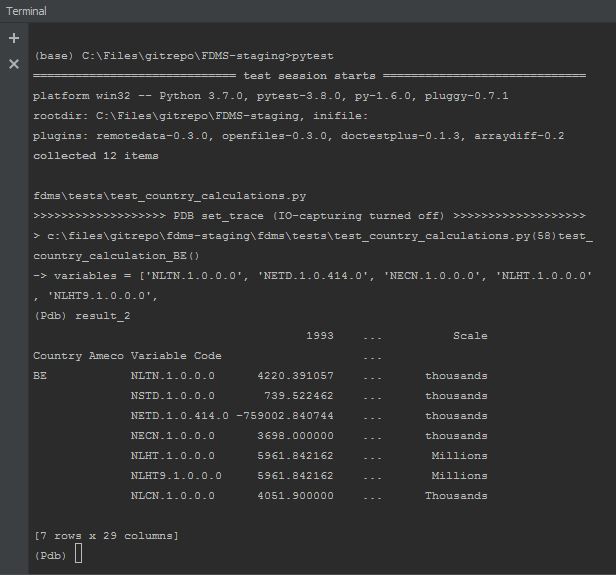
Now, other consultations or changes can be tried (the changes will not alter the source code!).
example 1 : getting one specific series out of the dataframe result_2
(Pdb) result_2.loc('BE','NLTN.1.0.0.0')
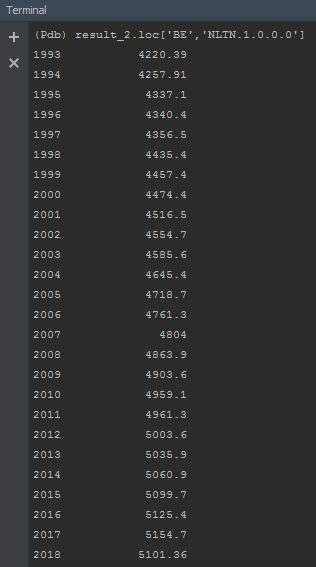
example 2: removing column '1993' from the dataframe result_2
(pdb) result_2 = result_2.drop(1993,axis=1) (Pdb) result_2
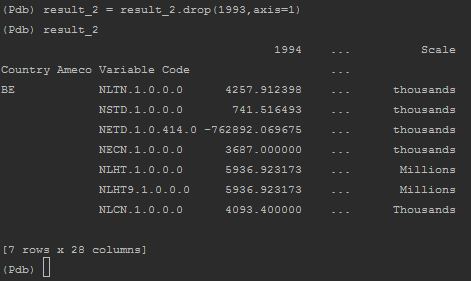
Although additional code was added in the debugger and one column is removed from the dataframe result_2, the local code in PyCharm, the code in the repo and the values of the variables are not affected in the source code, only in the debugger!
Once finished the debugging, just write exit in the (Pdb) shell and the debugging mode will be terminated. If you are running pytest, one failed will appear to the test_.py file with breakpoint and the test will proceed for next files with format test_.py.
If you are running the code without pytest, only step 3 is needed to debug the file, assuming that if the file is made only of class and functions, a call is done to these modules within the file.