A Python utility for creating customized clones of WhatsApp and WhatsApp Business applications by modifying package names and resources in decompiled APK files.


Termux: Terminal emulator and Linux environment for Android
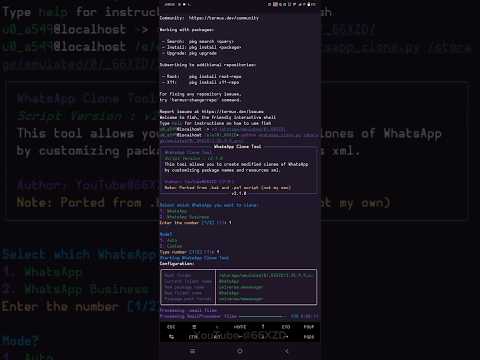

This tool allows you to create modified clones of WhatsApp applications by replacing package names and resource references in .smali and .xml files from a decompiled APK. It supports both regular WhatsApp and WhatsApp Business applications.
- Creates customized clones of WhatsApp or WhatsApp Business
- Supports automatic or custom package naming
- Multi-threaded processing for faster execution
- Interactive mode with rich text interface (when using the
richlibrary) - Comprehensive logging and progress tracking
- Python 3.x or higher
- Decompiled WhatsApp or WhatsApp Business APK (using APKTool or similar)
pkg install python git -ypip install tqdm rich-
Clone the repository:
git clone https://github.com/Towartz/wa-clone.git
-
Navigate to the directory:
cd wa-clone
Before using this tool, you need to decompile a WhatsApp APK file:
apktool d path/to/whatsapp.apk -o whatsapp_decompiled- Open ApkToolM
- Click on the APK file
- Select "Decompile" option
- Choose "Decompile all resources and all classes.dex"
python whatsapp_clone.pyFollow the on-screen prompts to select options.
python whatsapp_clone.py [folder_path] [options]| Argument | Description |
|---|---|
folder |
Path to the decompiled WhatsApp folder |
--whatsapp-type |
Type of WhatsApp: 1 = WhatsApp, 2 = WhatsApp Business |
--mode |
Operation mode: 1 = Auto (default package names), 2 = Custom |
--package |
New package name without 'com' (Required with --mode 2) |
--name |
New folder name (Required with --mode 2) |
--workers |
Number of worker threads (Default: 4) |
-h, --help |
Display help message |
python whatsapp_clone.pypython whatsapp_clone.py ./whatsapp_decompiled --whatsapp-type 1 --mode 1python whatsapp_clone.py ./whatsapp_decompiled --whatsapp-type 1 --mode 2 --package mywhatsapp --name MyWhatsApppython whatsapp_clone.py ./whatsapp_decompiled --whatsapp-type 2 --mode 1 --workers 8After running the tool, you need to recompile the modified code back into an APK:
apktool b whatsapp_decompiled -o modified_whatsapp.apk- Select the modified folder
- Choose "Build"
- Wait for the build process to complete
The recompiled APK needs to be signed before it can be installed:
- This tool is for educational purposes only
- For Cloning WhatsApp Business (com.whatsapp.w4b) still have bug
- Decompile WhatsApp/WhatsApp Business APK → Get decompiled folder
- Run WhatsApp Clone Tool → Get modified decompiled folder
- Recompile modified folder → Get unsigned APK
- Sign the APK → Get installable APK
- Original script ported from .bat and .ps1 scripts
- Python version by YouTube@66XZD (デキ)