codegeist.ai is a customizable coding agent for the CLI, TUI, and web.
It is being built with a strong focus on customization, adaptable workflows, and project-local control over behavior, prompts, and developer tooling.


Watch the Ubuntu contributor setup tutorial on YouTube: https://youtu.be/pEnjYSGHeQ8

Use GitHub for code, issues, the Codegeist Roadmap, and durable technical decisions. Use Discord for quick developer help, feedback, and sharing Codegeist workflows.
- Provide one coding agent experience across CLI, TUI, and web surfaces.
- Make workflows, prompts, and behavior easy to adapt per project.
- Keep configuration and automation close to the repository instead of hiding them behind fixed defaults.
The repository now contains the first runnable application bootstrap for that vision:
- a compose-based devcontainer setup mounted from the
.devcontainer/submodule - a Spring Boot CLI application under
app/codegeist/clibuilt in the devcontainer with Java 25 and GraalVM Community 25 - Spring Shell commands for
--version, directcodegeist.yml--show-config, resumableask -c/--continue, and a minimaltuichat loop - direct
codegeist.ymlparsing for typedprovider:entries and the firstmcp:client catalog shape .codegeist/session.jsonpersistence for multiple local sessions, chat text, and bounded tool activity- a Codegeist-owned model/tool/model loop with prompt-scoped local
read/list/glob/grep/write/exact-edit/shell callbacks plus lazy MCP callback bridging
for configured
stdioandstreamable_httpclients - a native VHS-recorded TUI hello-world smoke that verifies write and shell tool previews, workspace side effects, session state, and MP4/WebM evidence
- a GraalVM native-image Maven profile and local native smoke check
- a deterministic
task cli:checkcontributor gate that tests, packages, and smokes the JVM jar without Docker or provider calls - parser-checked Ollama, OpenAI, and MCP configuration examples under
examples/ - local Linux, Windows, and Docker-backed MCP remote smoke scripts under
scripts/tests/ - GitHub Actions contributor CI for pull requests and pushes to source
main - a GitHub Actions release workflow for branch validation, pre-tag validation, tag-triggered published releases, checksums, and Linux/Windows/macOS native plus install-script smokes
- repo-local agent workflow rules, commands, and configuration
- lightweight project memory in
docs/memory-bank/chat.md
The checked-in devcontainer is the current development workspace. Code changes
start from the source main branch; the release branches of the shared kits are
generated distribution content, not Codegeist implementation branches.
Key properties:
- custom Docker image and entrypoint
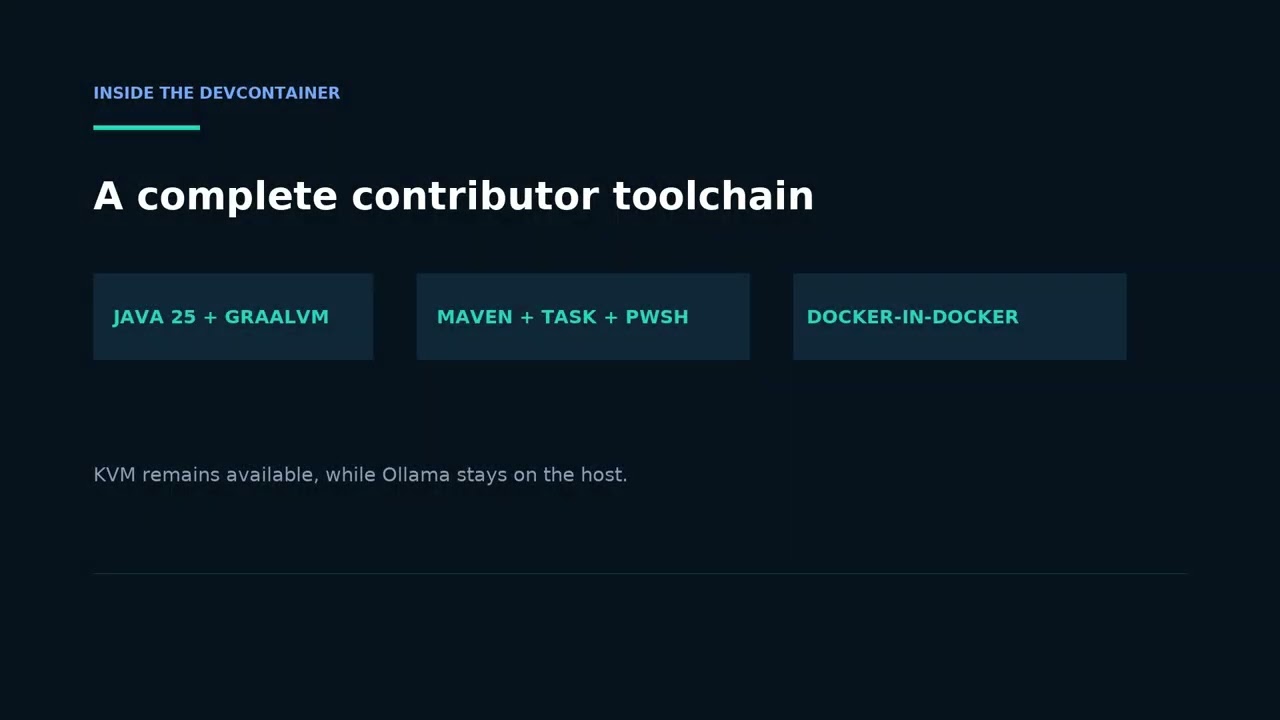
- Docker available inside the workspace container
- Node.js, Python, GitHub CLI, and supporting CLI tooling
- an
.opencode/submodule that tracks the agent kitreleasebranch - a
.devcontainer/submodule that tracks the devcontainer kitreleasebranch - local runtime values in
.codegeist/.local.env, generated from the kit example when missing and ignored by Git - optional repository-specific Compose and image extensions under
.codegeist/; the default contributor workspace does not require a GPU extension - generated
.devcontainer/.env,.devcontainer/Dockerfile.merged.gen,.devcontainer/compose.local.gen.yml, and.devcontainer/compose.user.gen.ymlfiles that should not be edited directly
.devcontainer/- development container image and runtime setup fromcodegeist-devcontainer-kit.opencode/- shared OpenCode commands, rules, skills, and integrations fromcodegeist-agent-kit.oc_local/- tracked Codegeist-specific OpenCode overlaysapp/codegeist/cli/- Spring Boot CLI bootstrap application, Maven project files, and localTaskfile.ymlexamples/- safe parser-checkedcodegeist.ymlstarting pointsscripts/install/- curl-downloadable release install scripts for Linux, macOS, and Windowsscripts/tests/- local Linux, Windows QEMU, native, MCP remote, and final smoke-suite scriptsdocs/tasks/README.md- local task status and public issue/task linkage guidedocs/memory-bank/chat.md- lightweight project memory for the repositoryCONTRIBUTING.md- repository-specific contributor setup and verificationLICENSE- Zero Clause BSD (0BSD) terms for Codegeist-owned materialREADME.md- project overview
The first application milestone is an executable Spring Boot jar that can be
built and started inside app/codegeist/cli/ with:
task runFrom the repository root, the equivalent command is:
task cli:runTo build a GraalVM native executable instead, use:
task nativeFrom the repository root:
task cli:nativeWhat this does:
- builds
app/codegeist/cli/target/codegeist.jar - starts the Spring Shell application
- runs the current noninteractive command path
The native build writes the executable to app/codegeist/cli/target/codegeist.
Implementation notes:
- build and run happen directly in the devcontainer with the installed Java 25 GraalVM toolchain and system Maven
- Java 25 is the current project baseline
- the Maven build includes a
nativeprofile with the GraalVM native build tools - the application implements Spring Shell commands such as
--version,--show-config,ask, andtui application.yamlis only Spring Boot/Shell configuration; Codegeist runtime config is loaded from explicitcodegeist.ymlpaths
Run the canonical normal check from the repository root:
task cli:checkThis runs the JVM test suite with provider category none, packages
app/codegeist/cli/target/codegeist.jar, and invokes the built jar's real
--version command with a non-empty-output assertion. The jar carries the root
license at META-INF/LICENSE. The check is deterministic and noninteractive,
ignores ambient TEST and provider-category values, and does not start Ollama,
use Docker, download a model, read provider credentials, or call a provider.
Use a focused selector without provider setup when iterating:
task cli:test-jvm TEST=CodegeistExamplesTestNative-image, local/hosted provider, Docker-backed MCP, QEMU, documentation
capture, and release checks are stronger opt-in gates. See
CONTRIBUTING.md for when to run them.
Local smoke scripts live under scripts/tests/. The primary smoke logic is
implemented in PowerShell 7 (*.ps1) so Linux, Windows, MCP, and final-suite
orchestration use the same helper code. Bash scripts under scripts/tests/ own
QEMU VM lifecycle and host-side SSH/asset-server orchestration when that is the
smallest practical tool for the platform smoke.
Run the local Linux smoke from the repository root:
pwsh -NoProfile -File scripts/tests/local-linux-smoke.ps1task cli:test starts a local Ollama container by default. To reuse an Ollama
service that already runs outside the workspace container, set its base URL and
the model that must already exist on that service:
OLLAMA_EXTERNAL_URL=http://10.0.2.2:11434 \
  OLLAMA_MODEL=llama3.2:1b \
  task cli:test
External mode verifies the Ollama API and selected model without starting or
modifying a local Ollama container. The 10.0.2.2 address is the QEMU user-mode
network host address; use the appropriate reachable URL in other environments.
Run the Docker-backed MCP streamable_http smoke from app/codegeist/cli:
task mcp-remote-smokeRun the final local smoke suite:
pwsh -NoProfile -File scripts/tests/final-smoke-suite.ps1The final suite requires Linux and Windows to pass by default. It downloads the official Windows Server Evaluation ISO when needed, creates or starts the local Windows QEMU VM, and fails if download, VM, or smoke prerequisites fail.
For developer-only runs that may skip missing platform prerequisites, use:
pwsh -NoProfile -File scripts/tests/final-smoke-suite.ps1 -AllowSkipsThe Windows smoke path uses a local Windows QEMU VM over SSH and includes native
archive plus Windows install-script smoke. See
docs/developer/release/windows-qemu-smoke.md for the detailed VM lifecycle, ISO,
toolchain, artifact, installer, and troubleshooting guide.
The MCP remote smoke starts a deterministic local Docker fixture, verifies the real
streamable_http callback path directly, then starts local Ollama and verifies that
ask can make the model invoke the remote MCP tool. It stays outside the default
task cli:check path.
Native releases use platform archives, not true single-file executables. See
docs/developer/release/native-distribution-packaging.md for the
Linux tar.gz, Windows zip, sidecar-library, and no-single-executable rationale.
Run the Linux install-script smoke in a fresh Linux QEMU guest from
app/codegeist/cli:
task qemu-linux-install-smokeThis opt-in smoke builds the Linux native executable through the Taskfile, serves
local release-shaped assets from the host, has the guest download
codegeist-install-linux.sh with curl, installs the Linux archive, and checks
codegeist --version plus codegeist --show-config inside the guest. It is not
part of final-smoke-suite by default.
After a release is published, Linux users can install the latest release with:
curl -fsSL https://github.com/codegeist-ai/codegeist/releases/latest/download/codegeist-install-linux.sh | bashmacOS users can use the matching macOS script:
curl -fsSL https://github.com/codegeist-ai/codegeist/releases/latest/download/codegeist-install-macos.sh | bashWindows users can download and run the PowerShell script:
curl.exe -fsSL -o codegeist-install-windows.ps1 https://github.com/codegeist-ai/codegeist/releases/latest/download/codegeist-install-windows.ps1
pwsh -NoProfile -ExecutionPolicy Bypass -File .\codegeist-install-windows.ps1
The scripts download SHA256SUMS.txt, verify the matching native archive, install
the complete archive contents under a user-local directory, and print the PATH
directory that exposes the codegeist command. Set CODEGEIST_INSTALL_BASE_URL to
install from another release asset location, such as a local smoke-test server.
See docs/user/install-from-github-releases.md for install locations, overrides,
update behavior, and current Linux/Windows/macOS verification status.
The GitHub release workflow lives at .github/workflows/release.yml.
It validates release artifacts on GitHub-hosted runners:
codegeist-jvm.jarcodegeist-linux-x64.tar.gzcodegeist-windows-x64.zipcodegeist-macos-x64.tar.gzcodegeist-install-linux.shcodegeist-install-macos.shcodegeist-install-windows.ps1LICENSESHA256SUMS.txt
The native runner jobs build and smoke the platform archive, including an exact
copy of the root LICENSE, then run the matching install script against local
release-shaped assets. This includes
codegeist-install-macos.sh on the GitHub-hosted macOS x64 runner.
Release work may start on an unversioned work branch. When the work branch is
ready, run /codegeist-release --source <release-work-branch> --rc 1. The command
infers the next SemVer release from the diff between the latest reachable release
tag and the source commit, creates the matching
release/v<version>-github-release-build validation branch when needed, creates
one detailed squash-candidate commit, validates the candidate branch, advances
main by fast-forward only, runs pre-tag validation, pushes the final v* tag
that publishes the GitHub Release, verifies the downloaded checksums, moves
latest to the verified release commit, and creates or updates the latest
GitHub Release with the same verified assets without running another build.
When main already contains the release-ready work and is synchronized with
origin/main, /codegeist-release can release directly from main; it skips the
validation-source and squash-candidate branches to avoid an empty commit, then runs
the same pre-tag, tag, publish, checksum, and latest verification path.
See docs/developer/release/github-release-build.md for the full operator flow.
Host prerequisites are Git, Docker, and either VS Code with Dev Containers or the
Dev Containers CLI. Ordinary contributors need only the two shared workspace
submodules; recursively initializing the large docs/third-party/*/source
research references is unnecessary.
git clone https://github.com/codegeist-ai/codegeist.git
cd codegeist
git submodule update --init .devcontainer .opencode
devcontainer up --workspace-folder .
devcontainer exec --workspace-folder . task cli:check
devcontainer exec --workspace-folder . task cli:run -- --version
VS Code users can open the repository root and choose Reopen in Container
instead of running devcontainer up; from a terminal in that container, run
task cli:check and task cli:run -- --version directly. During startup,
.devcontainer/initialize.sh creates .codegeist/.local.env, local worktree and
OpenCode directories when needed, and ignored generated files under
.devcontainer/. It does not create an optional
.codegeist/compose.local.yml or .codegeist/Dockerfile; add either only for an
intentional local/repository override.
This repository uses standard Git worktrees under .worktrees/<branch>.
Recommended workflow:
- Keep
mainchecked out in the repository root. - Open the repository root directly through VS Code Dev Containers.
- To open a managed worktree, start VS Code or the Dev Containers CLI with
BRANCH=<branch>in the environment. The kit'sinitializeCommandcreates or reuses.worktrees/<branch>and mounts the selected checkout at its host-matching absolute path inside the container. - Keep
.codegeist/.local.envin the repository root; managed worktrees link back to it automatically when.devcontainer/initialize.shprepares them.
The devcontainer kit generates .devcontainer/.env,
.devcontainer/Dockerfile.merged.gen,
.devcontainer/compose.local.gen.yml, and
.devcontainer/compose.user.gen.yml on startup. These files keep the container
hostname, user, UID, GID, workspace, image extension, and optional Compose bridge
aligned with the selected checkout without a repo-local launcher script.
Each worktree uses the .devcontainer/ files from its own Git state. If you
change the devcontainer setup in the repository root and want the same setup in
an existing worktree, update that worktree to the newer commit first.
If an older checkout is missing the workspace submodules, initialize only
.devcontainer and .opencode with
git submodule update --init .devcontainer .opencode before opening the
devcontainer.
Safe starting points for the current direct codegeist.yml parser are in
examples/. The examples are parser-tested without opening provider
or MCP connections and contain no usable credentials.
Review local configuration before running provider-backed commands:
- Codegeist evaluates
#{...}string values in trusted local YAML with an unrestricted Spring SpEL context. --show-configprints configured values without secret redaction.- Local tools can read, write, edit, and run host processes. Current workspace settings and path checks do not provide a sandbox or permission-prompt system.
- MCP stdio configuration can launch child processes, and package-runner commands can download dependencies.
Do not put credentials in tracked examples, issues, pull requests, logs, or configuration output.
Start with CONTRIBUTING.md for Java/core ownership, selective
workspace setup, checks, and pull-request expectations. Public work is discovered
and discussed in Issues, with
cross-repository planning in the
Codegeist Roadmap. The
docs/tasks/README.md guide explains how accepted issues
link to canonical local task specifications; historical tasks are not automatically
ready work.
The T010 rollout targets these account-wide policy locations: Code of Conduct, Security Policy, and Support Guide. Repository-specific contribution details live here; the shared policies are not duplicated locally. T010 remains open until the shared files and related GitHub settings are published. Never report vulnerabilities through a public issue.
Codegeist-owned source and documentation are available under the
Zero Clause BSD License (0BSD). Contributions are accepted under the
same terms without a CLA or DCO requirement; third-party licenses and notices keep
their original terms.
The repository is still early, but it now has a real application entrypoint, a resumable session store, an owned chat tool loop, a native TUI with completed-tool previews, local Linux/Windows/MCP/TUI smoke-test entrypoints, and GitHub-hosted release automation for the current artifact family.