
A Rust rendering engine that turns JSX, HTML, and node trees into images. No headless browser required.
Render OpenGraph cards, animated GIFs, video frames, and vector SVG from Node.js, Cloudflare Workers, browsers, or any Rust application.
Drop-in compatible with next/og.




Takumi is a rendering pipeline built in Rust for one job: turning markup and CSS into pixels. It parses CSS, lays out the tree, shapes text, composites layers, and encodes the output inside a single binary. A headless-Chromium setup spends around 300 MB of RAM and a browser cold start on the same OG card; Takumi spends a function call.
One engine, every deployment target:
- Node.js loads the native binding
- Cloudflare Workers and browsers load the WASM build
- Rust applications embed the
takumicrate
Prebuilt binaries ship for macOS, Linux (glibc and musl), and Windows, on x64 and ARM64.
CSS support reaches past the usual OG-image subset:
- CSS Grid, block, inline, float
::before,::after,:is(),:where()- masks,
clip-path,backdrop-filter, blend modes background-clip: text, conic gradients- RTL text
- Tailwind v4 utilities, including arbitrary values
bun i takumi-jsimport { render } from "takumi-js";
import { writeFile } from "node:fs/promises";
const image = await render(
<div tw="w-full h-full flex items-center justify-center bg-gradient-to-b from-blue-100 to-red-50">
<h1 tw="text-6xl font-bold">Hello from Takumi</h1>
</div>,
{ width: 1200, height: 630 },
);
await writeFile("./output.png", image);Only a last-resort Latin font ships built in. Load the rest through fonts: a URL, raw bytes, or googleFonts. A weight range or an axes entry loads the variable font, so font-variation-settings drives its axes:
import { render } from "takumi-js";
import { googleFonts } from "takumi-js/helpers";

const image = await render(
  <div
    tw="w-full h-full flex items-center justify-center"
    style={{
      fontSize: 72,
      fontFamily: "Fraunces",
      fontVariationSettings: "'opsz' 72, 'wght' 700",
    }}
  >
    Hello from Takumi
  </div>,
  {
    width: 1200,
    height: 630,
    fonts: googleFonts([{ name: "Fraunces", weight: "100..900", axes: { opsz: "9..144" } }]),
  },
);
Rendering many images? Register the fonts once on a Renderer and reuse it. See Typography & Fonts.
import { ImageResponse } from "takumi-js/response";

export function GET() {
  return new ImageResponse(
    <div tw="w-full h-full flex items-center justify-center bg-gradient-to-b from-blue-100 to-red-50">
      <h1 tw="text-6xl font-bold">Hello from Takumi</h1>
    </div>,
    { width: 1200, height: 630 },
  );
}import { renderAnimation } from "takumi-js";
import { writeFile } from "node:fs/promises";
const animation = await renderAnimation({
width: 400,
height: 400,
fps: 30,
format: "webp",
scenes: [
{
durationMs: 1000,
node: (
<div tw="w-full h-full flex items-center justify-center">
<div tw="w-32 h-32 bg-blue-500 animate-spin rounded-lg" />
</div>
),
},
],
});
await writeFile("./output.webp", animation);import { renderSvg } from "takumi-js";
import { writeFile } from "node:fs/promises";
const svg = await renderSvg(
<div tw="w-full h-full flex items-center justify-center bg-gradient-to-b from-blue-100 to-red-50">
<h1 tw="text-6xl font-bold">Hello from Takumi</h1>
</div>,
{ width: 1200, height: 630 },
);
await writeFile("./output.svg", svg);cargo add takumiStart from the Rust example.
| Feature | next/og (Satori) |
Takumi |
|---|---|---|
| Runtime | Node / Edge | Node, Edge, CF Workers, Browser, Rust crate |
| Template input | JSX / React | JSX, HTML strings, JSON node trees from any language |
| Layout | Flexbox | Flexbox, CSS Grid, block, inline, float |
| Selectors | Limited | Complex selectors, :is(), :where(), ::before, ::after |
backdrop-filter, blend modes |
✗ | ✅ |
| Animated output | ✗ | WebP / APNG / GIF / video frames |
| Vector SVG output | ✅ Native | ✅ Plus raster and animated output |
| Headless browser | ✗ | ✗ |
ImageResponse API |
✅ Native | ✅ Compatible |
Compare rendering output across providers at image-bench.kane.tw.
- Dcard renders post share images
- TanStack renders OG images for its docs
- Fumadocs generates its docs OG images
- Nuxt OG Image ships Takumi as a built-in renderer
- Luma renders event share images
- shiki-image turns syntax-highlighted code into images
More projects in the showcase. Takumi is part of the Vercel OSS Program.
Takumi converts any template into a node tree with three node kinds: container, image, and text. That tree runs through:
- Layout via taffy: Flexbox, Grid, block, float,
calc(), absolute positioning, z-index - Text shaping via parley and skrifa: WOFF/WOFF2 fonts, emoji, RTL, multi-span inline blocks
- Compositing: stacking contexts, blend modes, filters, transforms, SVG via resvg
- Output: PNG, JPEG, WebP, ICO for statics; GIF, APNG, WebP for animations; raw RGBA frames for video pipelines
The input contract is a node tree, so any template system that serializes to HTML or JSON can feed it: React, Svelte, Vue, plain strings, or your own serializer in any language.
A time axis threads through the pipeline: the renderer takes a timestamp, so a PNG is the tree at t=0 and a GIF is the same tree sampled across t. CSS @keyframes, the animation shorthand, and Tailwind animation utilities (animate-spin, animate-bounce, arbitrary values) all resolve at render time.
The same layout drives a second backend: renderSvg() (Rust render_svg, behind the svg-backend feature) emits a real <svg> document built from <rect>, <path>, gradients, and glyph outlines, so you can ship scalable vector output instead of pixels. If you reached for satori to get SVG, this is the drop-in path.
flowchart LR
    A[Templates] --> N[Node Tree] --> P[Rendering Pipeline]
    C[Stylesheets] --> P
    R[Resources] --> P
    D(Time Axis) -.-> P

    P --> F[(Raw Pixels)]
    P --> S[Vector SVG]

    F --> G[PNG / JPEG / WebP / ICO]
    F --> H[GIF / APNG]
    F --> I[Video frames]
| Takumi OG image (source) | Package OG card (source) |
|---|---|
 |
 |
| Prisma-style API card (source) | X-style social post (source) |
 |
 |
| Keyframe Animation (source) | shiki-image |
 |
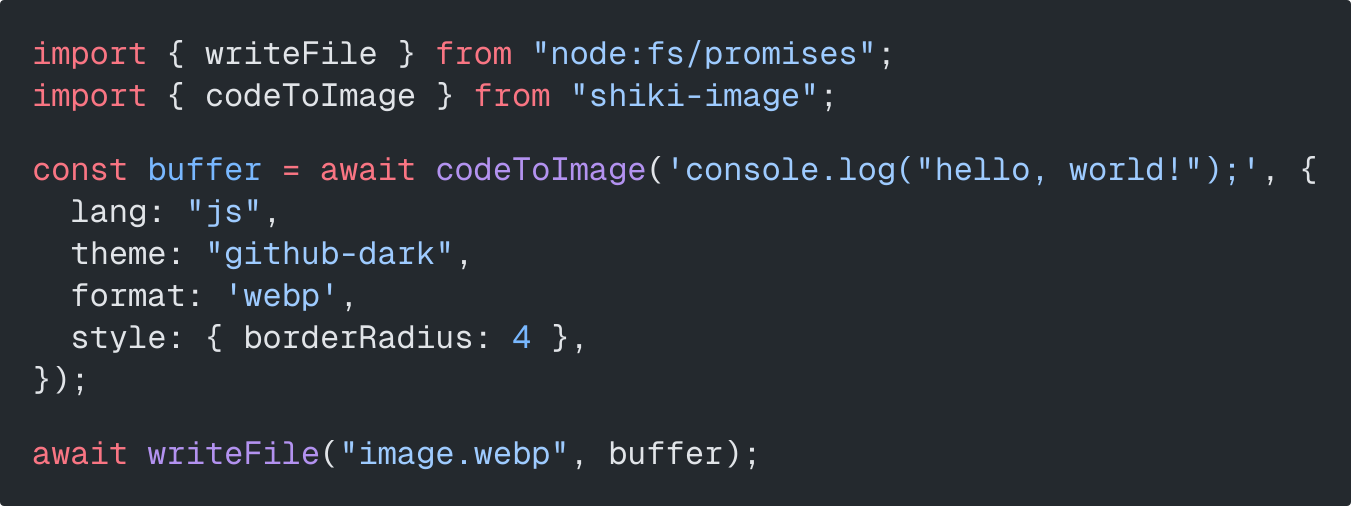 |
More examples: Next.js, Cloudflare Workers, TanStack Start, Svelte, Rust, ffmpeg keyframe animation
Read CONTRIBUTING.md. Covers local setup, test commands, fixture workflow, and changelog process.
We welcome bug reports, feature requests, doc improvements, and new example integrations.
MIT or Apache-2.0

